Trunk-based Development
Trunk-based development is a software engineering practice where all developers collaborate on a single branch, usually ‘main’ for GitHub, rather than working on long-lived feature branches. The core idea is to keep changes small, integrate frequently, and avoid the pain of complex merges and integration hell.
This approach encourages a culture of continuous integration and rapid feedback. By committing directly to the trunk, teams reduce the risk of diverging codebases and ensure that everyone is working with the latest version. It also supports faster delivery of value to users, as features and fixes can be released more quickly and reliably.
In my experience, trunk-based development is not just a technical choice but a mindset shift. It requires discipline, strong communication, and a willingness to embrace automation—especially around testing and deployment. When done well, it leads to higher quality software, happier teams, and a more predictable release process.
Key Principles
- Short-lived branches: If branches are used at all, they are kept extremely short-lived (hours or a day at most).
- Frequent commits: Developers commit to the trunk multiple times a day, integrating their work continuously.
- Automated testing: A robust suite of automated tests is essential to catch issues early and maintain confidence in rapid changes.
- Feature toggles: New features are often hidden behind toggles, allowing incomplete work to be merged safely.
Trunk-based development is at the heart of modern engineering teams aiming for speed, quality, and collaboration. It’s a practice I strongly recommend for teams looking to scale their delivery without sacrificing stability.
Developer Workflow
This is my ideal workflow for every developer.
You’ll also notice that most of this is applied to this repo. Some aren’t relevant as there’s no actual code and only one contributor, but everything that can be set, is (including strict Markdown linting). I eat my own dog food!
Steps
- Design and Document your change request
- Create a semantically named branch, such as:
feat/for new featuresfix/for bug fixeschore/for maintenance tasksdocs/for documentation updates
- Make minimal changes, don’t wait for the entire feature to be finished
- Unit test using valuable unit tests
- Incorporate feature flags to control visibility
- Create a PR which links to the ticket, documentation and mention the feature flag
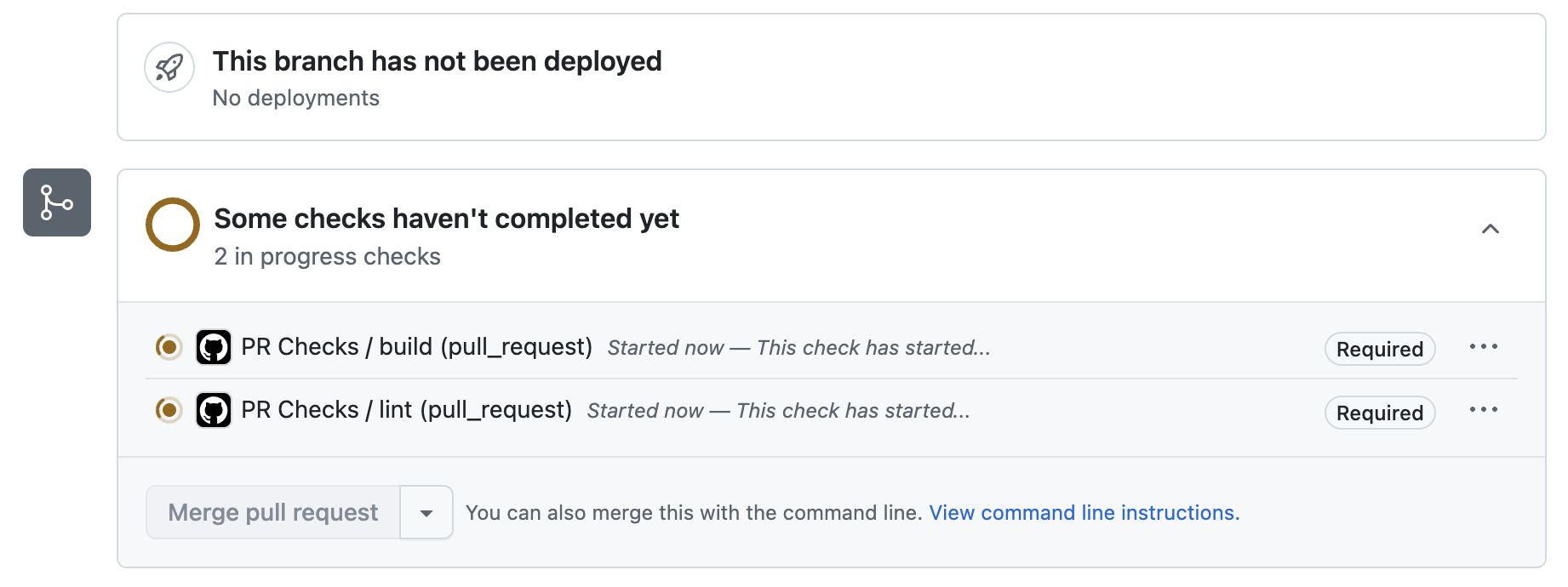
- Protect the trunk so PRs can only be merged when:
a. code is reviewed
a. at least one label is applied to the PR
a. branch is up-to-date with main, so no surprises when merging
a. Status checks pass:
a. builds successfully
a. lints clean
a. tests are passing
a. code coverage is above your agreed threshold
a. The feature flag is mentioned in the PR description (or
#nofeatureflag) a. Ticket link/ID is included in PR description - Once all tests have completed, the
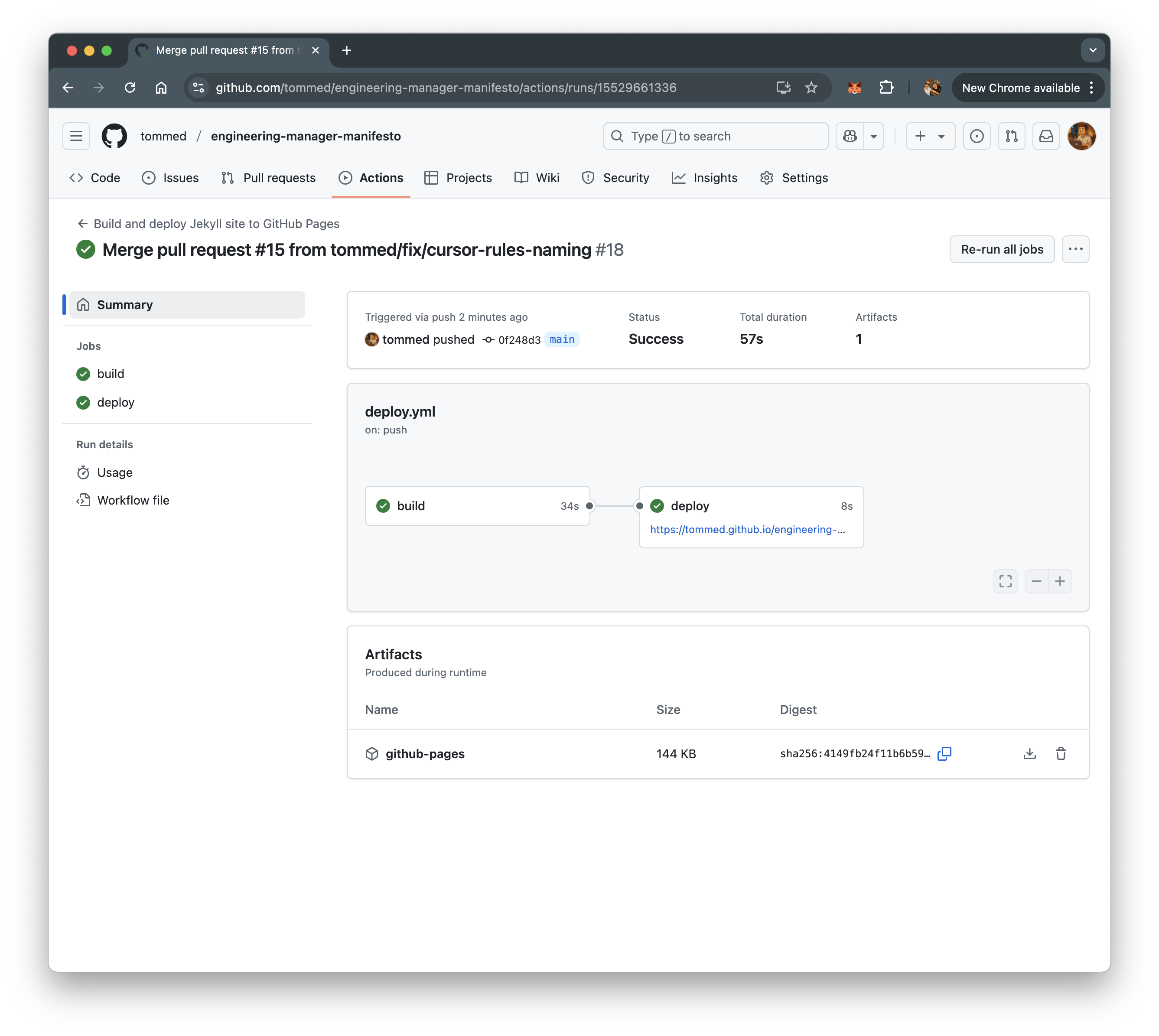
deployprocess starts during the PR merge to ‘main’ - Branch is deleted
- Product is pushed into staging
- Each check-in should make it to production independently and automatically once all staging tests have been successfully completed. Ideally this is automated as part of the CI/CD, otherwise manually signed-off and promoted using a manual GitHub Action once manual checks are completed. Where a manual process is done, effort should be planned to automate this
To Be Included
- Kick of automated QA testing
- Time the process (for DORA metrics) between PR merging and the code is live in production